



May 20, 2026
Earn Up to 15,000 Bonus Points Monthly With Paze℠
Toni Perkins-Southam
Chase cardholders have an all-new way to earn a huge stash of bonus Ultimate Rewards®, and it involves a digital wallet you’ve probably never heard of before.
Through Dec. 31, 2026, eligible Chase cardholders can earn an additional 10 points per dollar spent, on up to $1,500 in purchases each month, when checking out online with Paze℠. That works out to as many as 15,000 bonus Ultimate Rewards® points monthly.
Note: Until September 10, 2026, there is a special offer where you can earn $10 off a $10 offer up to 10 times per eligible card. Read more about it here.
For points and miles enthusiasts, this is one of the more lucrative limited-time earning opportunities currently available—especially for those purchases that normally wouldn’t earn bonus rewards.
What is Paze?
Paze is a digital wallet designed for online checkout. It was developed by Early Warning Services (the same company behind Zelle) and is backed by several major banks, including JPMorgan Chase & Co., Bank of America, Capital One, and Wells Fargo.
The idea is similar to Apple Pay or PayPal, but specifically for online shopping. Instead of manually typing in your credit or debit card number at checkout, Paze allows you to securely pay using eligible linked cards from participating banks.
Unlike Apple Pay, however, Paze currently works only for online purchases; you can’t use it for tap-to-pay purchases in stores.
Which Chase Cards Are Eligible?
Several Ultimate Rewards-earning cards are eligible for this promotion, including:
- Chase Freedom Flex℠
- Chase Freedom Unlimited®
- Chase Sapphire Preferred® Card
- Chase Sapphire Reserve®
The exact list of eligible cards may vary, but the promotion specifically references qualifying Chase Ultimate Rewards® cards that can be added to a Paze wallet.
Make sure to check the Chase “Boost your points” option under the “Benefits & travel” tab on your account page under to confirm your card’s eligibility.
One important catch: authorized users currently aren’t eligible for Paze. Business cards are also not available for Paze.
How the Chase Paze Promotion Works
Eligible Chase cardholders can earn an additional 10 points per dollar spent when paying with Paze at participating online retailers through Dec. 31, 2026.
Here’s the key fine print to know:
- Earn 10x bonus points on up to $1,500 in purchases per month
- Maximum bonus: 15,000 additional points monthly
- Offer valid through Dec. 31, 2026
- Must check out using Paze with an eligible Chase card
Importantly, this is an additional 10x earning rate, so you’ll still earn your normal card rewards on top of the 10x.
For example, if you use a card that already earns 1 point per dollar spent on purchases, you’ll effectively earn 11 points per dollar in total points through this promotion. If the purchase also falls into a bonus category, your earnings could be even higher.
To really take your earnings to the next level, you can stack this promotion by making purchases through a shopping portal. However, some participating merchants may require purchases through their app to qualify for the Paze bonus. Since shopping portals generally track purchases made in a browser, portal stacking may not work for app-only offers.
How To Set up Paze
One of the more convenient aspects of Paze is that eligible cards are already connected through participating banks.
To get started, simply:
- Open your bank or credit union mobile app
- Locate the digital wallet section
- Select Paze and complete the activation prompts
- Shop at participating online merchants and look for the Paze button at checkout
Unlike some digital wallets, you don’t need to manually type in your card numbers if your bank already participates.
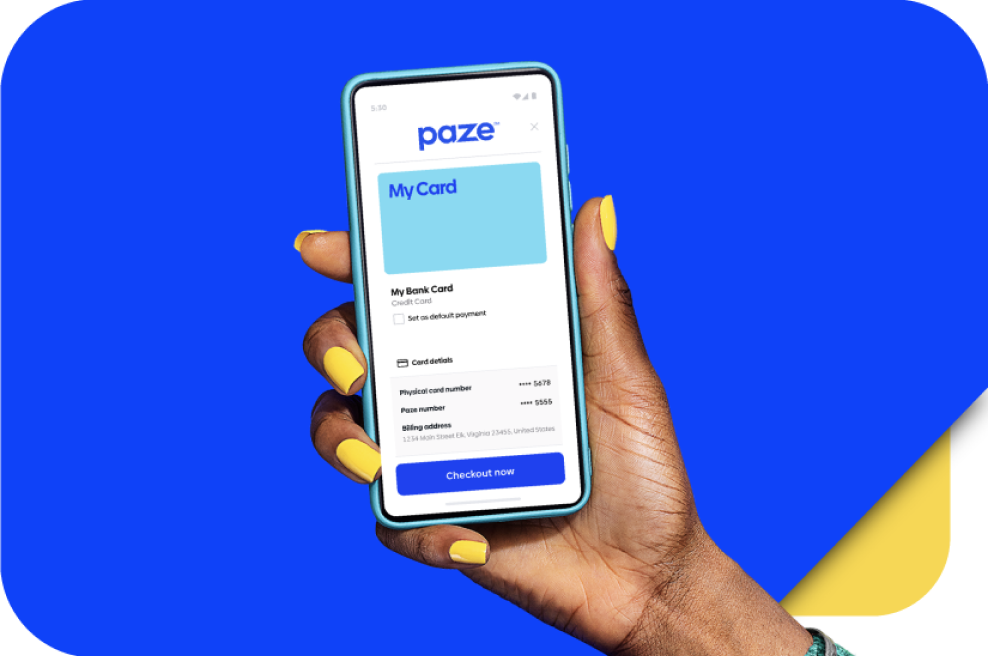
How To Pay With Paze
When shopping online at participating retailers, look for the Paze button during checkout.
After selecting Paze, simply enter your email address. Next, you’ll need to verify your identity by entering the security code sent to your phone. Then, choose your eligible Chase card. Finally, complete the checkout process.
Paze uses tokenization technology, meaning merchants don’t actually receive your card number directly. Instead, a secure payment token is generated for the transaction.
Which Retailers Accept Paze?
The list of participating merchants is still limited, especially compared to more established payment methods like PayPal or Apple Pay. But the list is continuing to grow.
Some participating merchants currently include:
- United Airlines
- Newegg
- Sephora
- Dunkin’
- Domino’s
- Sephora
For many points enthusiasts, United could be especially exciting, as purchases may offer an easy opportunity to stack airline spending with elevated rewards earnings.
Is this promotion worth using?
Potentially, yes—especially for purchases that normally only earn 1 point per dollar of spending.
Even moderate monthly spending could generate a significant number of Ultimate Rewards® over the course of the promotion. A cardholder maximizing the full $1,500 monthly cap could earn up to 120,000 bonus points over eight months, not including the card’s normal earning rates.
That’s enough for several domestic award flights, Hyatt hotel stays, or potentially much more value through Chase transfer partners.
The biggest downside is merchant availability. Paze still isn’t available through many merchants, which can make it difficult for users to consistently maximize the monthly cap.
Still, for online purchases at participating retailers, this could be one of the easiest ways to supercharge Ultimate Rewards® earnings through the end of 2026.
Related Posts
Bilt Cash Is Live With More Ways To Use Bilt Rewards
Ways to Accumulate More Ultimate Rewards®
7 Reasons Why I Love Chase Ultimate Rewards®
Using Ultimate Rewards® for European Flights

.
Responses are not provided or commissioned by the bank advertiser. Responses have not been reviewed, approved or otherwise endorsed by the bank advertiser. It is not the bank advertiser’s responsibility to ensure all posts and/or questions are answered.
Leave a Reply


Advertiser Disclosure: Points Talk Squad has partnered with CardRatings for our coverage of credit card products. Points Talk Squad and CardRatings may receive a commission from card issuers when a customer clicks on a link, when an application is approved, or when an account is opened. This compensation may impact how or where products appear on this site. Points Talk Squad has not reviewed all available credit card offers on this site.
Editorial Note: Opinions expressed here are author's alone, not those of any bank, credit card issuer, hotel, airline, or other entity. This content has not been reviewed, approved or otherwise endorsed by any of the entities included within the post.
Hi, Can you help me with this? This sentence is unclear: “Make sure to check the Chase “Boost your points” option under the “Benefits & travel” tab on your account page under to confirm your card’s eligibility.” Also, my Benefits & Travel tab lists the following: Rewards, Travel, Chase Offers, Shopping, Benefits, Experiences…not Boost Your Points. Can you help me find that? Perhaps that was an option before a website refresh?
Hi, Can you help me with this? This sentence is unclear: “Make sure to check the Chase “Boost your points” option under the “Benefits & travel” tab on your account page under to confirm your card’s eligibility.” Also, my Benefits & Travel tab lists the following: Rewards, Travel, Chase Offers, Shopping, Benefits, Experiences…not Boost Your Points. Can you help me find that? Perhaps that was an option before a website refresh?